🎮 Bluetooth HID Wireless Control
Turn Your Phone into a Wireless Controller for XR/PC/TV
XRControl transforms your Android phone into a full-featured wireless mouse, keyboard, and gamepad via Bluetooth HID. Precision touchpad, gyroscope mouse, custom game layouts — one app, total control.
✓ Quest✓ Galaxy XR✓ PC✓ TV✓ Android✓ Zero Data Collection✓ 14 Languages
📡 Product Overview
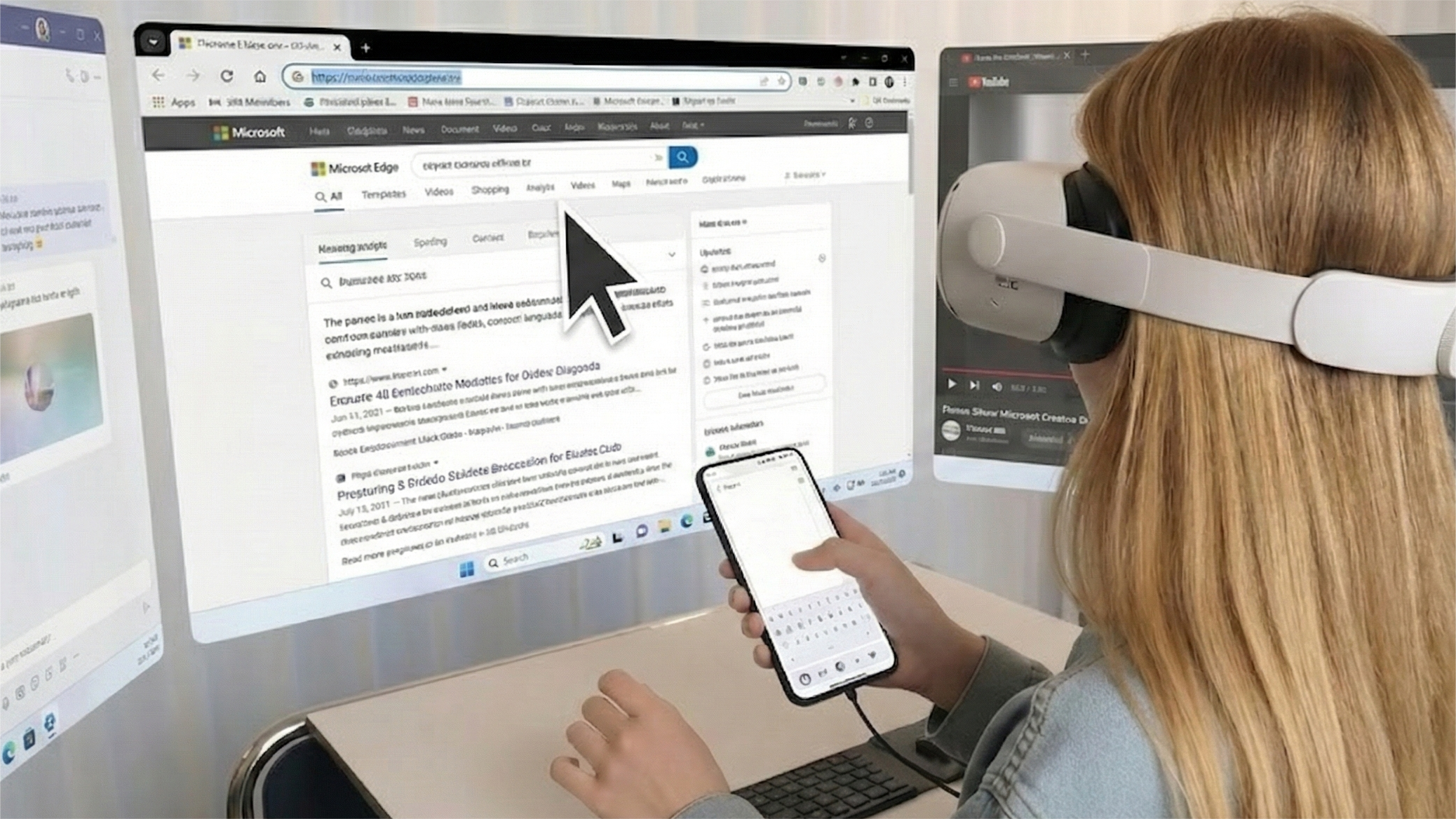
What is XRControl
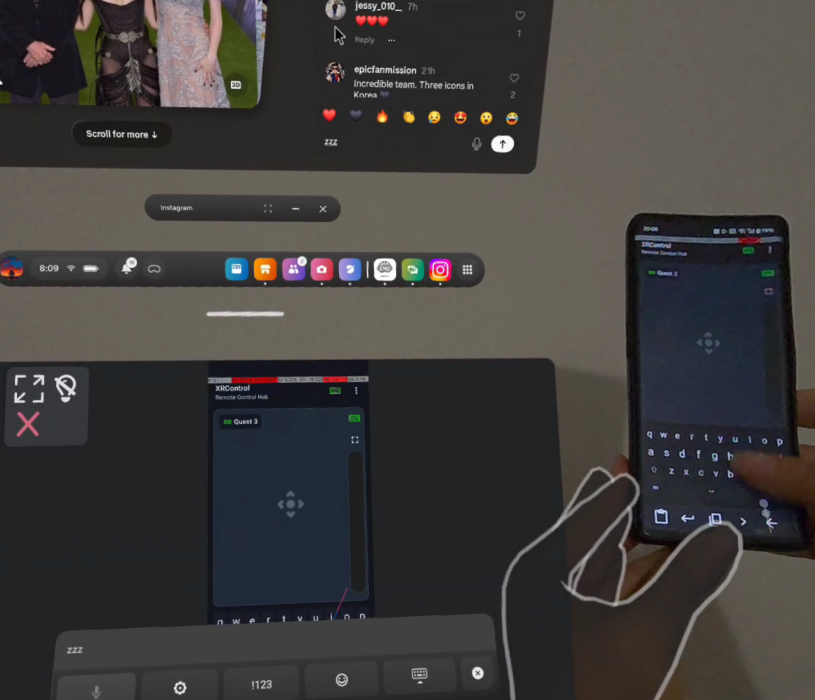
XRControl uses standard Bluetooth HID protocol to turn your Android phone into a wireless mouse, keyboard, and gamepad. No Wi-Fi, no account needed. Broadly compatible with Quest, Galaxy XR, PC, and Smart TV.
Bluetooth HID Protocol
Standard protocol, broad compatibility, stable connection — no extra software required.
️ All-in-One Control Hub
Touchpad, mouse, keyboard, gamepad, and gyroscope — covers every scenario.
Privacy First
Zero data collection. Bluetooth peer-to-peer only — data stays between your devices.
🎯 Precision Control
Precise Control Experience
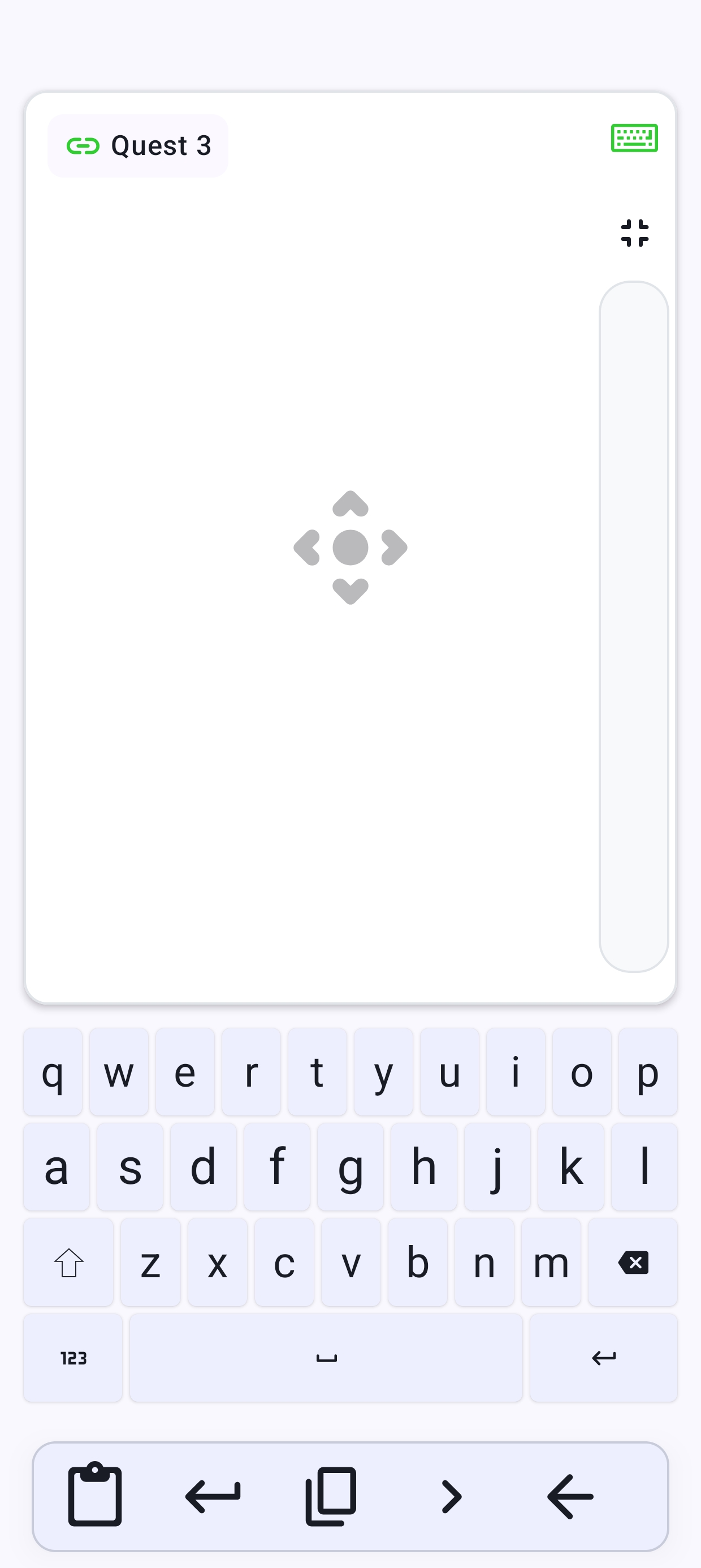
Leverage your phone's touchscreen precision and built-in gyroscope for a more natural, accurate experience than traditional controllers.
Multi-Touch Touchpad
Smooth pointer, click, and scroll with multi-finger gesture support.
Gyroscope Mouse
Tilt your phone to move the cursor — a whole new ergonomic experience.
️ Integrated Input Box
Type with your native keyboard, send with one tap — no letter-by-letter input.
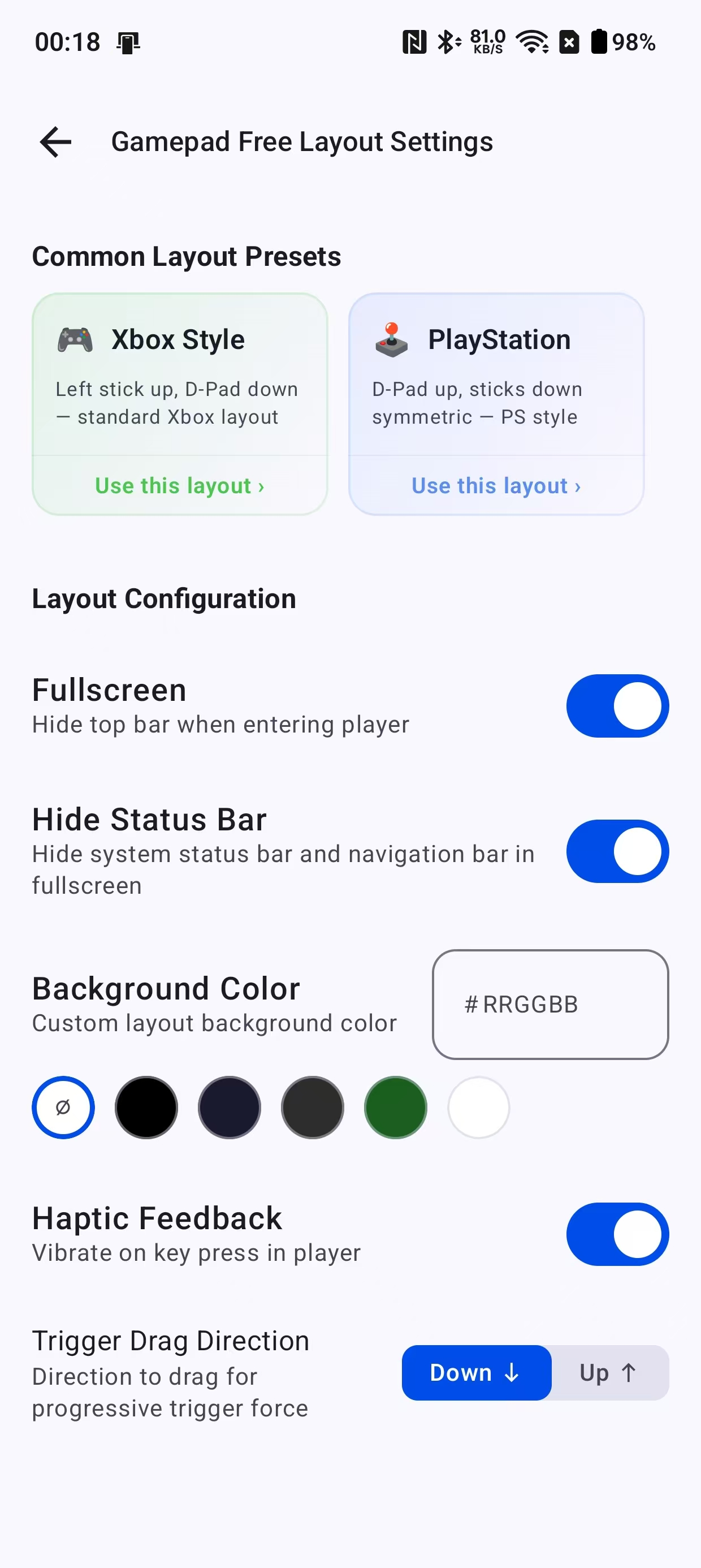
🎮 Game Mode
Custom Game Layout
New game mode with keyboard and gamepad dual-mode support. Drag-and-drop visual editor lets you freely create your own game layouts.
️ Visual Layout Editor
Drag, resize, and rotate buttons. Double-click to edit component details.
️ Rich Component Library
Joystick, D-Pad, ABXY, trigger, touchpad — mix and match freely.
️ Fullscreen Player
Fullscreen mode with real-time HID input for an immersive gaming experience.
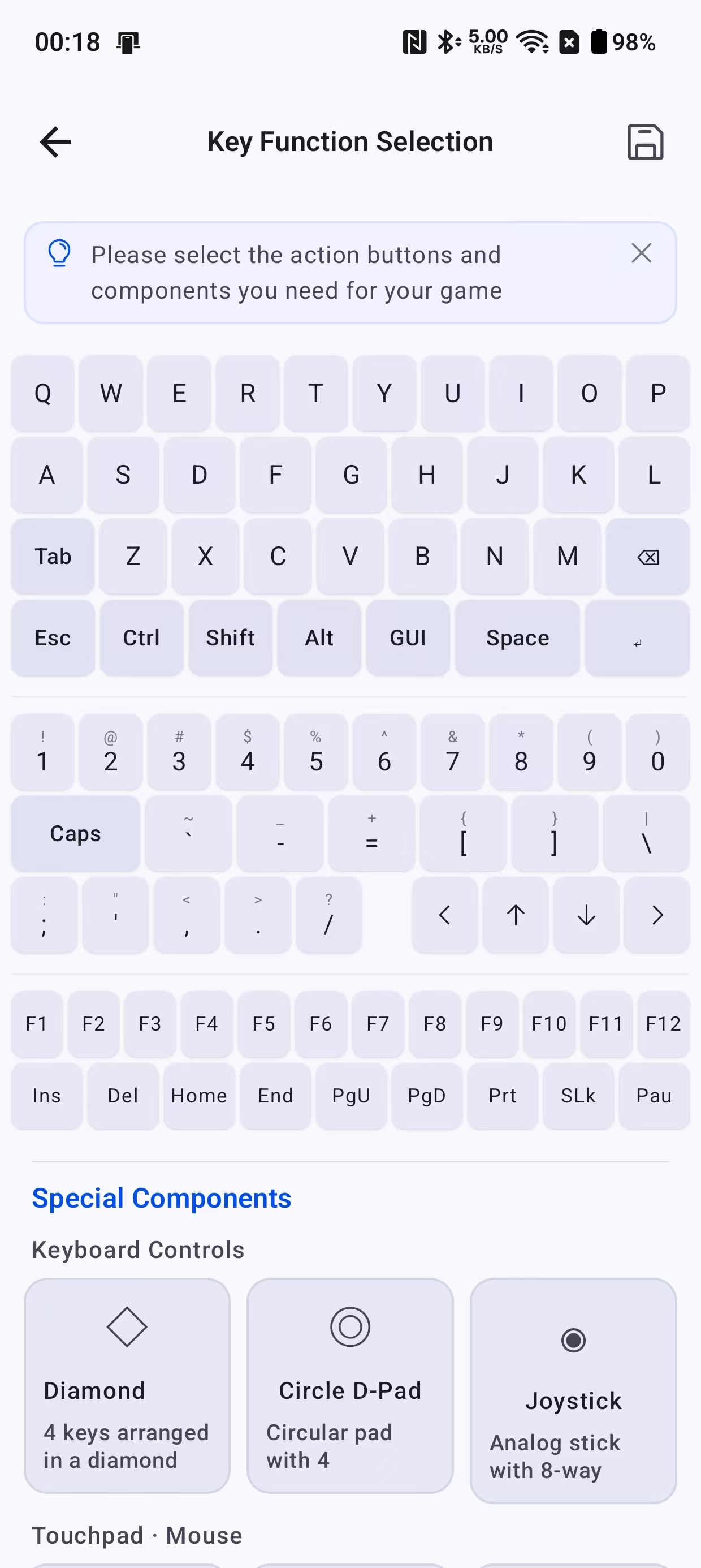
🏆 Preset Layouts
Pro Presets · Play Instantly
Built-in Xbox / PlayStation professional gamepad presets — apply with one tap, no manual configuration needed.
Xbox / PlayStation Presets
Built-in professional presets, switch to gamepad mode instantly.
Haptic Button Feedback
Tactile vibration when pressing buttons for a realistic feel.
Personalization
Custom trigger direction and canvas background color palette.
Core Features
From daily productivity control to immersive gaming, XRControl delivers a complete wireless control solution.
Custom Game Layout
Drag-and-drop visual editor with keyboard and gamepad dual-mode. Freely combine joystick, D-Pad, ABXY, trigger components with real-time fullscreen HID input.
🕹️ ABXYLTRTD-Pad
Touchpad Mode
Multi-touch and gestures with laptop-grade precision.

Mouse Control
Full mouse functionality: left/right click, scroll wheel, precise cursor.

Gamepad Mode
Xbox/PS presets, joystick, trigger, D-Pad — a complete component library.

Smart Keyboard
Built-in keyboard and integrated input box — send text with one tap.

Gyroscope Mouse
Tilt your phone to control the cursor — an ergonomic new experience.
FAQ
Common questions about XRControl.
XRControl supports all Bluetooth HID devices: Meta Quest 2/3/3S/Pro, Samsung Galaxy XR, Windows PC, Smart TV, macOS, and Android tablets. You need an Android phone with Bluetooth as the controller.
Not at all. XRControl uses pure Bluetooth HID — no Wi-Fi, no account, no cloud. All data stays peer-to-peer between your devices.
XRControl achieves less than 10ms Bluetooth HID input latency, delivering a near-instant control experience.
Five modes: touchpad, mouse, full keyboard, gamepad (Xbox/PS presets), and gyroscope mouse — switch freely between them.
Yes. XRControl is free to download on Google Play with no mandatory in-app purchases for core features.
Community Layouts Discover, publish, and sync XRControl custom layouts Explore Community Layouts